Quick answer: a POS handles VAT, sales tax and GST by storing a tax rate on every product, applying it line by line at checkout (so a basket with mixed rates is split correctly), printing the tax on the receipt and totalling it by rate for each filing period. The tax system changes from country to country, but those four steps stay the same.
RetaPOS works this way in every country it sells in: one configurable rate per item, multiple rates on one bill, tax shown on every receipt and tax summary reports, for a flat US$399/year (₹6,000/year in India).
Sales Tax vs VAT vs GST: What's the Difference?
| Sales tax | VAT | GST | |
|---|---|---|---|
| Where | United States | UK, EU, UAE, Saudi Arabia and many more | India, Australia, Singapore, Canada, New Zealand |
| Charged | Once, at the final sale to the customer | At every stage, with credit for tax paid on purchases | Like VAT: every stage, with input tax credit |
| Rate set by | State and local governments (many combined rates) | National government | National government (and provinces in Canada) |
| Shelf price | Usually shown before tax; tax added at checkout | Usually shown including tax | Usually shown including tax (India MRP, Australia, Singapore) |
For a small shop, the practical difference is the shelf price and the report. A US store adds tax at the till and reports by state and locality; a UK or UAE shop shows tax-inclusive prices and reports VAT by rate.
How a POS Handles Tax: 4 Steps
1. Set a tax rate on every product
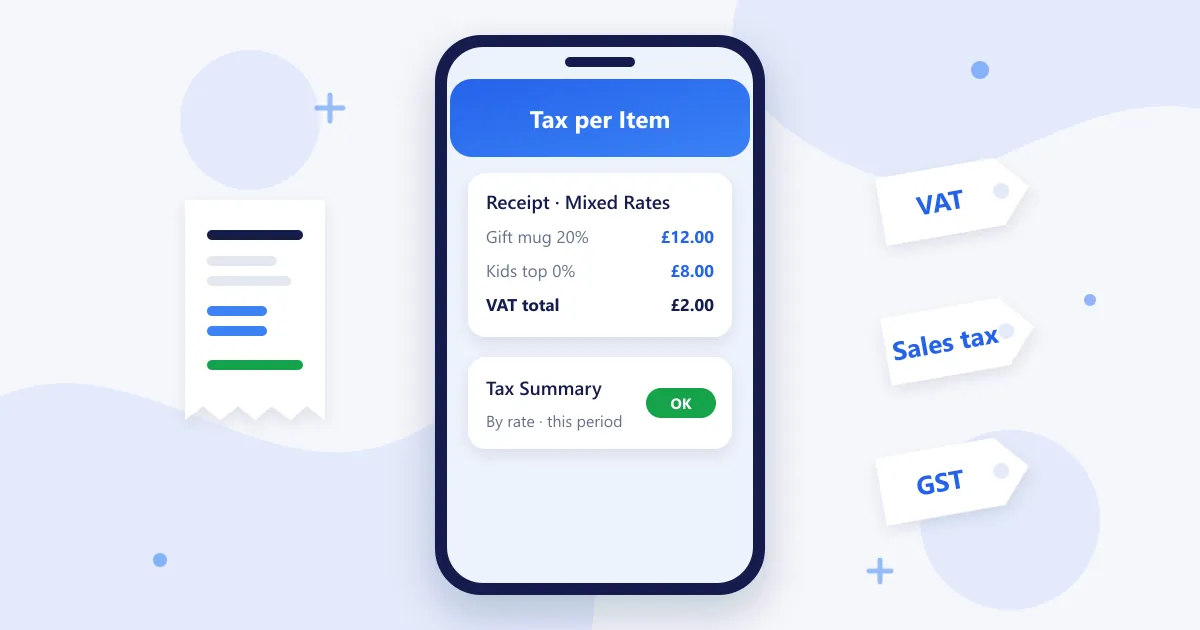
Each product carries its own rate: 20% for a UK gift item and 0% for children's clothing, or 18% and 5% under India GST. Setting the rate per item, rather than one rate for the whole store, is what makes the rest accurate.
2. Apply tax line by line at checkout
When a basket holds items at different rates, the POS calculates each line separately and totals the tax by rate. This is the "mixed basket" problem that a single store-wide rate gets wrong.
3. Show the tax on the receipt or invoice
The receipt shows the tax per rate and the total, plus any registration number your country requires (a VAT number in the UK, a TRN in the UAE, a GSTIN in India, an ABN in Australia).
4. Report tax by period
At the end of each period the POS gives a tax summary: taxable sales and tax collected per rate. Those are the figures your accountant or filing software needs.
2026 Tax Rates by Country (Retail)
| Country | Tax | Main rates |
|---|---|---|
| United States | Sales tax | Set by state and locality; Alaska, Delaware, Montana, New Hampshire and Oregon have no statewide sales tax |
| Canada | GST / HST / PST | 5% GST, HST of 13–15% in some provinces, PST or QST in others |
| United Kingdom | VAT | 20% standard, 5% reduced, 0% (most food, children's clothing) |
| Ireland | VAT | 23% standard, 13.5% reduced, 0% on some items |
| Germany | VAT | 19% standard, 7% reduced |
| UAE | VAT | 5% |
| Saudi Arabia | VAT | 15% |
| India | GST | 5% and 18% slabs, 40% on some goods (since 22 September 2025) |
| Australia | GST | 10% |
| New Zealand | GST | 15% |
| Singapore | GST | 9% |
Rates change and many items have special treatment, so confirm current rates with your accountant or tax authority before you set up your products. A POS with a configurable rate per item lets you update a rate in minutes when the law changes.
Common POS Tax Mistakes
- One rate for the whole store: overcharges zero-rated items and undercharges others.
- Rounding per basket instead of per line: small differences add up over a VAT quarter.
- Missing registration details on receipts: a VAT, TRN or GST number is often required on the invoice.
- Forgetting to update rates: India's 2025 GST change and Canadian HST changes are recent examples.
- No period report: re-adding sales by hand at filing time invites errors.
What to Ask When Choosing a POS for Tax
- Can I set a different tax rate on every product?
- Does it handle several rates on one bill?
- Does the receipt show tax per rate and my registration number?
- Does it support tax-inclusive shelf prices if my country uses them?
- Does it give a tax summary by rate for each period, and can I export it?
- Can I change a rate myself when the law changes?
RetaPOS Tax Handling
- Configurable tax rate per product, with multiple rates on a single bill
- Tax shown on every receipt and invoice, with your business and tax details
- Tax summary reports for each period, plus daily, weekly and monthly sales reports
- India: CGST, SGST and IGST split, HSN codes, GSTR-1 and GSTR-3B reports, e-way bills
- Runs on any Android or iOS phone; cloud-based, so it needs Wi-Fi or 4G/5G
Country guides: US sales tax, UK VAT, Ireland VAT, Canada GST/HST, Australia GST, Singapore GST and India GST. Need a quick number? Try the free sales tax calculator.
POS Tax Handling: Frequently Asked Questions
How do POS systems handle VAT and sales tax for small businesses?
A POS stores a tax rate on each product, applies it line by line at checkout, shows the tax on the receipt and totals it by rate for each period. RetaPOS does this for VAT, sales tax and GST in every country it sells in, for small shops with up to 500 SKUs, at US$399/year.
Can one POS handle different tax rates on the same bill?
Yes, if it sets the rate per product. RetaPOS supports multiple tax rates on a single bill, so a UK basket with a 20% gift and a 0% children's item, or an Indian bill with 5% and 18% items, is calculated and shown correctly.
Does a POS file my VAT or GST return?
Usually not directly. The POS produces the sales and tax figures, and you or your accountant file through the tax authority's portal or compatible software. RetaPOS gives tax summary reports and, in India, GSTR-1 and GSTR-3B reports to make filing faster.
What is the difference between sales tax and VAT at the till?
With US sales tax, prices are usually shown before tax and the POS adds the combined state and local rate at checkout. With VAT, shelf prices usually include tax and the POS works out the VAT inside the price. Either way, the POS should show the tax on the receipt.
Bottom Line
Whatever your country calls it, good POS tax handling comes down to the right rate on every item, correct mixed baskets, clear receipts and a period report you can trust. RetaPOS does all four from the phone you already own. See all RetaPOS features.