A quick service restaurant (QSR) makes its money in short, intense peaks: the lunch rush, the after-school wave, the late-night crowd. If each order takes ten seconds longer than it should, the line grows and customers leave. The best quick service restaurant POS is built to keep the line moving and the kitchen in sync.
This guide covers what to look for in quick service restaurant software in 2026, a comparison checklist, and answers to common questions from QSR owners.
What a QSR Needs From Its POS
- Speed at the counter: Rapid order entry with your best-sellers one tap away.
- Combos and modifiers: Meals, upsizes and add-ons must price correctly every time.
- A connected kitchen: Orders should reach the kitchen instantly, with timers so nothing sits too long.
- More than one order channel: Counter, drive-thru, phone and delivery orders all need to land in one queue.
Key Features to Look For in a QSR POS System
1. Rapid Order Entry
A clean menu layout with favorites on the first screen lets cashiers ring up a full order in seconds, even on a smartphone.
2. Combo Management
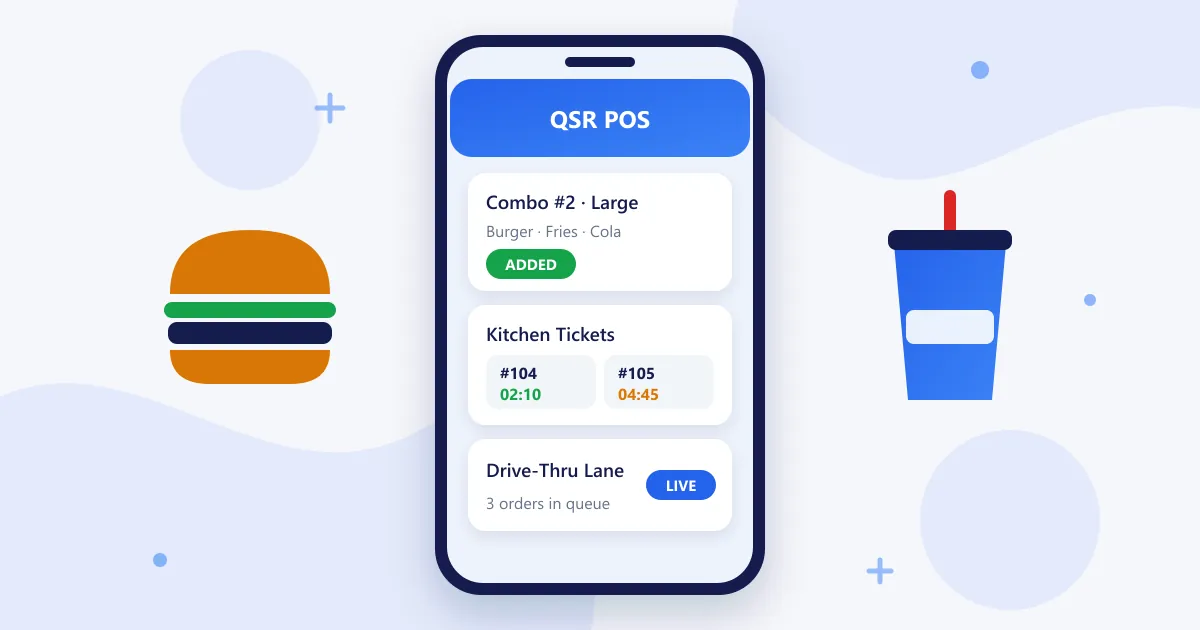
Build meal combos and family deals with fixed prices and choice slots (side, drink, size), so the right price and the right items reach the kitchen.
3. Kitchen Order Tickets and Quality Timers
Send each order to the kitchen as a ticket, and track prep time with quality timers so you can see when orders are running late during a rush.
4. Drive-Thru and Multi-Channel Orders
Use drive-thru mode for car lane orders and bring counter, phone and online orders into one queue, so the kitchen works from a single list.
5. Inventory Forecasting and Multi-Store Sync
Track ingredient use, forecast what you need for the next peak, and sync menus and stock across locations if you run more than one outlet.
How to Choose a Quick Service Restaurant POS: Checklist
| What to check | Why it matters in a QSR | RetaPOS |
|---|---|---|
| Rapid order entry | Shorter lines at peak hours | Yes |
| Combo and meal-deal pricing | Correct pricing on every combo and upsize | Yes |
| Kitchen tickets with timers | Orders reach the kitchen instantly and on time | Yes |
| Drive-thru mode | Separate, faster flow for car lane orders | Yes |
| Multi-channel order queue | Counter, phone and online orders in one list | Yes |
| Multi-store sync | One menu and one report across outlets | Yes |
RetaPOS as a Quick Service Restaurant POS
- Rapid order entry built for smartphone and tablet
- Combo management for meals, family deals and upsizes
- Kitchen order tickets with quality timers
- Drive-thru mode and customer displays
- Multi-channel orders in one queue
- Inventory forecasting, performance analytics and multi-store sync
- US$399/year per store with unlimited users and all features included
Explore the full RetaPOS Quick Service Restaurant POS →
Quick Service Restaurant POS: Frequently Asked Questions
What is the best POS system for a quick service restaurant?
The best QSR POS combines rapid order entry, accurate combo pricing, kitchen tickets with timers, drive-thru mode and a single queue for every order channel. RetaPOS includes all of these for US$399/year per store, running on smartphones and tablets.
What is the difference between QSR software and a regular restaurant POS?
A regular restaurant POS is built around tables, courses and long dining times. Quick service restaurant software is built around speed: counter ordering, combos, drive-thru and high order volume in short peaks.
Can a QSR POS run on a smartphone?
Yes. RetaPOS is mobile-first and runs on Android and iOS phones and tablets, which is useful for line-busting during a rush. It is cloud-based and needs a stable Wi-Fi or 4G/5G connection.
How much does a quick service restaurant POS cost?
RetaPOS costs US$399/year per store (₹6,000/year in India) with unlimited users. Compare the full yearly cost of any system, including add-ons for kitchen display, loyalty or extra devices.
Bottom Line
The best quick service restaurant POS for 2026 shaves seconds off every order and keeps the kitchen on time when the line is longest. RetaPOS does that on devices you already own. Running delivery-only brands too? See our cloud kitchen POS guide.